

The Woo Grid Carousel widget slides through your WooCommerce products a few at a time — the Pro-tier counterpart to the free plugin’s Woo Archive Carousel, with the same query options and card layout.
Note: This widget requires an active BEW Pro license.
Adding the Widget #
- Open the page in the Elementor editor.
- Search the widget panel for Woo Grid Carousel, under the BEW Elements category.
- Drag it into any section or column.
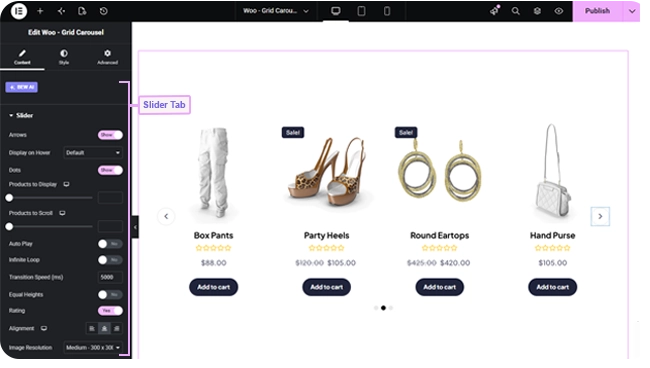
Slider Controls #
Arrows, Dots, Auto Play, and Infinite Loop are all off by default — turn on whichever fit your design. Arrows have a Display on Hover option to keep them hidden until a visitor hovers the carousel.
Products to Display sets how many product cards are visible at once (responsive, defaults to 4 on desktop), Products to Scroll sets how many advance per swipe or arrow click, and Transition Speed sets how many milliseconds each transition takes (defaults to 2000).
Equal Heights (off by default) forces every card to match the tallest one, Rating (on by default) shows star ratings, Alignment sets text alignment within each card (defaults Center), and Image Size defaults to Medium.
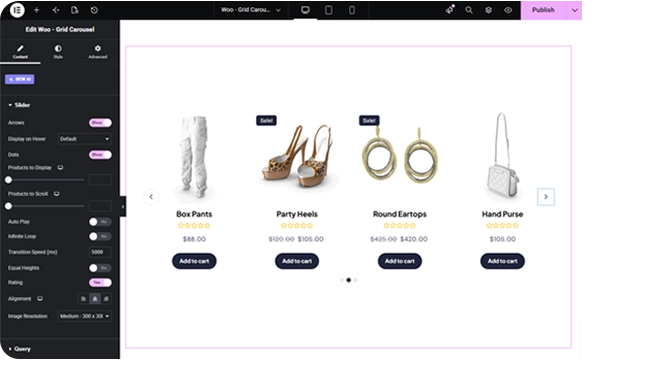
Choosing Which Products Show #
The Query section’s Source control has three modes:
- All Products — your full catalog, respecting each product’s WooCommerce catalog visibility.
- Custom Query — filter by category and/or tag, each with its own Match or Exclude rule, plus an Offset to skip a number of results.
- Manual Selection — pick specific products by name.
Regardless of source, you can also set Exclude Products, Exclude Current Product, Number of Products to pull into the carousel (up to 200, defaults to 10), and an Advanced group for Filter By (None / Featured / Sale), Order By, and Order.
Styling #
- Item — card background, border, border radius, box shadow, margin, padding.
- Arrows and Dots — the standard carousel navigation styling.
- Image — opacity and CSS filters for Normal and Hover, hover transition duration, border, border radius, margin, padding.
- Title, Price, Rating, Button, Sale — the same set of card-content style sections used across the other product widgets (colors, typography, borders, spacing for each).
Frequently Asked Questions #
#
They work the same way — same query options, same carousel controls, same card layout. This is the Pro-tier version of that widget, available once BEW Pro is active.
#
This widget shows several smaller product cards per view, like a scrollable grid. Woo – Product Slider shows one product at a time as a large, full-width showcase.
#
Both are switched off by default. Turn on Arrows and/or Dots in the Content tab’s Slider section.


